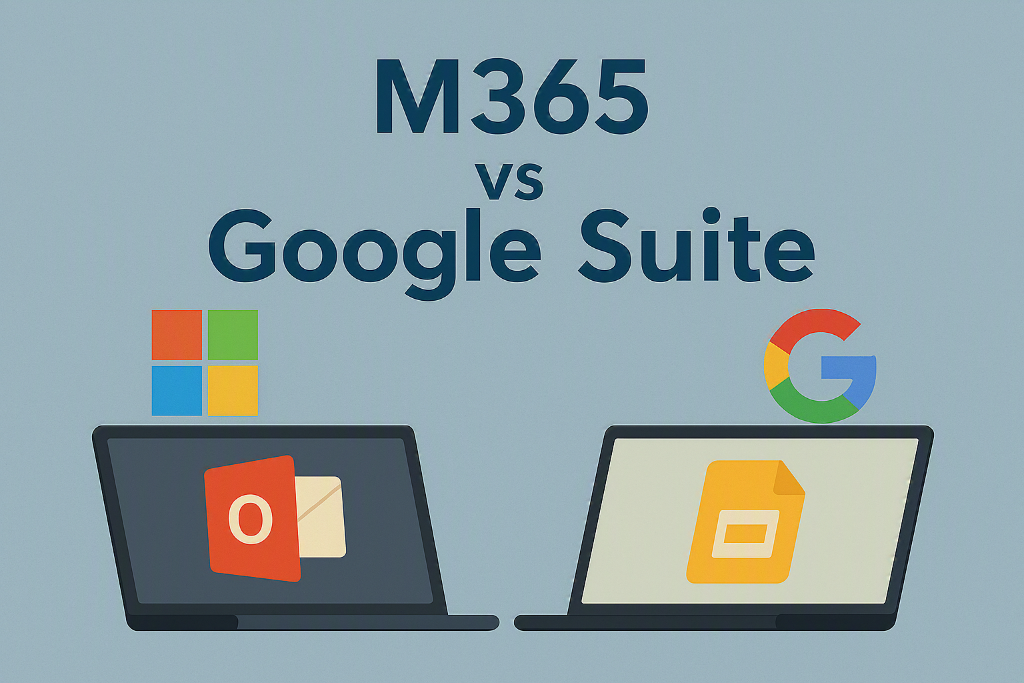
Choosing between Google Workspace and Microsoft 365 is no longer just about email and documents. For manufacturing and healthcare organizations, the decision directly impacts efficiency, compliance, and operational performance. We break it down by company size, real-world use cases, and where each platform shines.
Choosing between Google Workspace (G Suite) and Microsoft 365 (M365) is no longer just about email and documents.
Today, the decision touches four critical areas for any business:
- AI-driven productivity (Gemini vs. Copilot)
- Security and compliance
- Mobile workforce enablement
- Scalability as your company grows
For organizations in manufacturing and healthcare, the right choice can directly impact efficiency, compliance, and operational performance. Below, we break it down clearly — by company size, real-world use cases, and where each platform truly shines.
Small Business (10 Employees or Less)
Google Workspace Advantages
1. Simplicity & Speed — Google Workspace is easy to deploy and manage with minimal IT overhead — ideal for teams that need to get up and running quickly without a dedicated IT department.
2. Real-Time Collaboration — Docs, Sheets, and Slides allow multiple users to collaborate simultaneously on shared documents, making it a natural fit for small teams that work closely together.
3. Strong Mobile Experience — Lightweight apps perform well on smartphones and tablets, making Google Workspace a solid choice for field workers with straightforward needs.
4. Gemini AI Integration — Gemini is built directly into Gmail, Docs, and Sheets. It assists with drafting emails, summarizing documents, and handling basic automation tasks.
Best for: Startups, small service teams, and companies without dedicated IT staff.
Google Workspace Limitations
- Limited offline capabilities compared to Microsoft
- Not well-suited for complex workflows (e.g., advanced Excel, ERP integrations)
- Compliance controls may fall short for regulated industries like healthcare and manufacturing
Microsoft 365 Advantages
1. Familiar Desktop Tools — Microsoft 365 includes full desktop versions of Excel, Word, and Outlook — essential for teams that rely on advanced reporting, financial modeling, or structured document workflows.
2. Copilot AI (Stronger Business Use Cases) — Copilot automates tasks across Microsoft apps, drafts emails, summarizes Teams meetings, and generates reports directly from your data.
3. Better Security Baseline — Built-in features like multi-factor authentication and integrated data loss prevention give Microsoft 365 a stronger out-of-the-box security posture.
Microsoft 365 Limitations (Small Teams)
- Higher setup complexity; may require IT support
- Licensing can be more expensive depending on the plan
- Full value requires training and proper configuration
Verdict for Small Teams (10 or Fewer Employees)
Choose Google Workspace if you need simplicity, fast deployment, and easy collaboration with minimal IT involvement.
Choose Microsoft 365 if your team relies on Excel, needs compliance features, or operates within structured document and approval workflows.
Mid-to-Large Organizations (100+ Employees)
At enterprise scale, the platform decision becomes strategic — not just tactical.
Microsoft 365 Advantages (Enterprise Scale)
1. Industry-Grade Security & Compliance — Microsoft 365 is built for regulated industries. It supports HIPAA requirements for healthcare and provides the security controls manufacturing companies need to protect supply chain data.
2. Deep Integration Across Enterprise Systems — M365 integrates natively with ERP platforms (Dynamics 365, SAP), Power BI for advanced analytics, and SharePoint for enterprise document management.
3. Copilot as an Enterprise Automation Engine — Copilot connects across Teams, Excel, and Power BI to automate reporting, surface insights from large datasets, and support AI-assisted decision-making at scale.
Real-World Example: A manufacturing firm uses Copilot to pull production data from Excel, generate trend analysis, and automatically email a formatted summary to executives — without manual effort.
4. Mobile Workforce Enablement — Teams, Outlook, and SharePoint are fully integrated on mobile, backed by Intune for secure device management. This makes M365 ideal for:
- Nurses accessing patient records securely
- Field technicians updating work orders in real time
- Plant managers reviewing KPIs from the floor
Microsoft 365 Challenges (Enterprise)
- Requires IT maturity and governance to implement properly
- Licensing structures can become complex at scale
- User adoption requires intentional training and change management
Google Workspace Advantages (Enterprise)
1. Simplicity at Scale — Google Workspace onboards large, distributed teams quickly and is easier to administer for organizations with straightforward collaboration needs.
2. Strong Browser-Based Collaboration — All tools run in the browser with no local installation required — a real advantage for global or remote teams.
3. Gemini AI for Knowledge Work — Gemini excels at drafting documents, summarizing long files, and supporting individual productivity. It is less tightly integrated into complex business process automation than Copilot.
Google Workspace Limitations (Enterprise)
- Limited integration with enterprise ERP and data systems
- Weaker advanced analytics and BI capabilities
- Less mature compliance tooling for regulated industries
Verdict for Large Organizations (100+ Employees)
Microsoft 365 is the clear choice for enterprises that require security, compliance, AI-driven automation, and deep integration with existing business systems.
Google Workspace remains a viable option for larger organizations with simpler workflows, fewer compliance requirements, and a preference for browser-based collaboration.
Gemini vs. Copilot: What Actually Matters?
Gemini (Google Workspace) — Gemini is strong for individual productivity — writing emails, summarizing documents, and assisting with day-to-day knowledge work. Think of it as a personal productivity assistant.
Copilot (Microsoft 365) — Copilot is built for business process automation — connecting data across Excel, Power BI, and Teams to generate insights, automate reporting, and drive operational decisions. Think of it as an operational intelligence tool.
The Key Difference: Gemini helps individuals work faster. Copilot helps organizations make better decisions.
Mobile Device Considerations
For Small Teams — Google Workspace is simpler to deploy on mobile with less device management overhead — a good fit for teams that don't require strict security controls.
For Larger Organizations — Microsoft 365 leads with Intune for mobile device management, conditional access policies, and seamless integration with enterprise back-end systems. This is particularly critical for:
- Healthcare organizations managing patient data on mobile devices
- Manufacturing and field service teams updating systems from the floor
Final Recommendation
- Small team with low complexity — Google Workspace is the right fit.
- Growing business with structured workflows — Microsoft 365 will serve you better as you scale.
- Healthcare or manufacturing enterprise — Microsoft 365 is the clear standard for security, compliance, and automation.
- Teams focused on simple, browser-based collaboration — Google Workspace delivers what you need without the overhead.
Don't Just Pick Software — Pick the Right Strategy
Most organizations choose the wrong platform because they ask the wrong question: "Which tool is better?"
The real question is: "Which platform supports our growth, compliance, and automation goals?"
The answer depends on your industry, workforce, existing systems, and where you want to be in three years — not just which app looks easier today.
Ready to Make the Right Choice?
Not sure which platform is right for your organization? At Boomer Technology Group, we help manufacturing and healthcare companies:
- Evaluate Microsoft 365 vs. Google Workspace for their specific environment
- Design secure, scalable digital workplaces
- Implement AI (Copilot and Gemini) the right way
- Optimize mobile workforce productivity and compliance
Schedule a free consultation today and receive a tailored platform recommendation for your business.