The tools, the traps, and the operational realities no one warns you about. Part 2 goes deeper into integration tooling, reporting redesign, payroll parallel testing, and the hidden learning curve that determines whether your migration stabilizes—or struggles long after go-live.
The Tools, the Traps, and the Operational Realities No One Warns You About
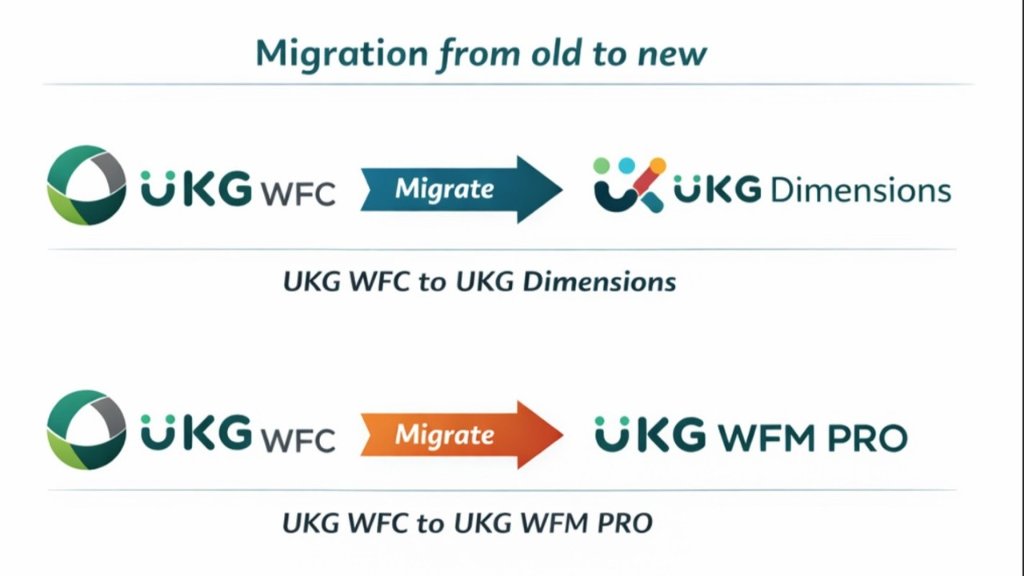
Part 1 of this series established a critical truth: migrating from UKG Workforce Central (WFC) to UKG Pro Workforce Management (WFM) is not a simple upgrade — it is a business transformation with payroll-level risk if handled incorrectly.
In Part 2, we go deeper into the practical, day-to-day realities that derail migrations:
- Integration tooling choices (Dell Boomi vs. WIM)
- Reporting redesign and historical data challenges
- What really changed — and what didn't — in configuration work
- Payroll parallel testing and enterprise maintenance
- UX changes and the hidden learning curve for support teams
- Common "gotchas" that continue to surprise even experienced UKG teams
This is the stuff that determines whether your migration stabilizes — or struggles long after go-live.
🔌 Dell Boomi vs. WIM: Integration Is Not "Plug and Play"
One of the biggest technical shifts between WFC and WFM is the integration strategy.
Workforce Integration Manager (WIM) — The WFC World
In WFC, WIM and custom flat-file interfaces dominated. Integrations were:
- Batch-oriented
- Often tightly coupled to payroll schedules
- Frequently customized or hard-coded over time
They worked — but they were fragile, opaque, and difficult to modernize.
Dell Boomi — The WFM Reality
WFM is API-first, and Dell Boomi is the strategic integration layer. This changes everything:
- Real-time or near-real-time data exchange becomes possible
- Error handling is more transparent — but more complex
- Interface logic must be redesigned, not ported
⚠️ Common mistake: Assuming WIM integrations can simply be "moved into Boomi." In reality, most organizations must re-architect integrations — including payroll, HRIS, benefits, and downstream finance systems. Underestimating this effort is one of the most common causes of migration delays.
📊 Reporting: From Genies and SQL to Data Views, BI, and Data Hub
Reporting often becomes the loudest post-go-live complaint — because expectations are wrong.
Custom Reporting in WFC
Workforce Central reporting relied heavily on:
- Genies and HyperFinds
- Custom SQL queries
- Direct database access (in on-prem or private cloud models)
Reports evolved organically and often served dual purposes: operational insight and audit history.
Reporting in WFM
WFM replaces this with:
- Prebuilt BI dashboards
- Configurable Data Views
- Data Hub exports for enterprise analytics
This is a shift in philosophy, not just tooling. Many WFC reports must be rebuilt from scratch, need refined business definitions, and require external BI tools for historical depth.
🔑 Critical decision point: Organizations must decide early whether historical WFC data will be archived separately, loaded into an external data platform, or retained only for audit purposes. Failing to make this decision early results in scope creep and frustrated stakeholders late in the project.
🔄 Transaction Assistant: Familiar Name, Very Different Behavior
Transaction Assistant in WFC
In WFC, Transaction Assistant was often:
- Lightly used
- Heavily customized in edge cases
- Embedded in manager workflows
Transaction Assistant in WFM
In WFM, Transaction Assistant is more structured, relies heavily on personas and workflow approvals, and enforces stricter validation rules.
The result? Some transactions that "just worked" in WFC now require:
- New approval paths
- Cleaner data inputs
- Rethinking of exception management
Managers notice this immediately — and resistance grows if they are not trained properly.
🔧 Enterprise Maintenance: The Cadence Shift Is Real
One of the most underestimated operational changes is how frequently WFM evolves compared to WFC. The table below illustrates the difference:
WFC vs. WFM Update Cadence
- Update frequency: WFC released updates quarterly or semi-annually. WFM releases updates weekly.
- Feature changes: WFC had minimal mid-year changes. WFM enables new functionality on a monthly basis.
- Testing cycles: WFC had long, defined testing windows. WFM requires continuous testing.
- Governance burden: WFC was low-maintenance. WFM demands active configuration governance.
This creates a real operational burden. Support teams must review release notes every cycle, testing never truly ends, and configuration governance becomes a standing responsibility — not a project task.
Organizations that do not establish a formal release management process quickly fall behind and lose confidence in the platform.
⚙️ Tedious Configuration Work That Didn't Change
(But Everyone Assumes It Did)
Despite the modern UX, many foundational tasks remain just as detailed as they were in WFC:
- Pay rule validation
- Work rule assignments
- Labor level mapping
- Scheduling rule edge cases
- Accrual exception cleanup
The misconception is that WFM automation eliminates configuration effort. The reality is that it demands cleaner, more disciplined configuration — with less tolerance for shortcuts.
💰 Payroll Parallel Testing: Where Most Timelines Break
Payroll parallel testing is the single most underestimated phase of WFC-to-WFM migrations.
Why it takes longer than expected:
- Event-driven recalculations expose discrepancies earlier
- Small rule differences compound across pay periods
- Retro logic behaves differently than in WFC
- Union and premium stacking logic breaks silently
Successful organizations plan for:
- At least 2–3 parallel pay cycles
- Dedicated payroll SMEs embedded in the project
- Formal defect triage processes
⚠️ Rushed parallel testing almost guarantees post-go-live payroll pain.
🖥️ UX and UI: Better Design, Bigger Change Shock
There is no question that WFM's UI is more modern, mobile-friendly, and role-based. But that does not mean adoption is automatic.
What improves with WFM:
- Mobile access from any device
- Tile-based dashboards for faster navigation
- Improved employee self-service capabilities
- Role-based views tailored to each user type
What breaks familiarity:
- Navigation flows are completely different
- Manager shortcuts no longer exist as before
- Security-driven visibility changes what users can see
- Less tolerance for "tribal knowledge" workarounds
Organizations that skip role-based training and rely on "users will figure it out" see higher support tickets, manager frustration, and reduced trust early after go-live.
🧠 The Hidden Learning Curve: Support Staff and Administrators
One of the least discussed impacts is on internal support teams. WFM requires administrators to learn:
- API and integration concepts
- Boomi troubleshooting basics
- Continuous release management
- BI and data extraction patterns
- Persona-driven security models
Teams that were strong in WFC technical support often feel like beginners again. Without structured enablement, this becomes an internal morale issue — not just a technical one.
🚫 Migration Gotchas to Avoid at All Costs
Across partners and customer case studies, the same mistakes repeat:
Treating reporting as an afterthought — Rebuilds blow up scope post-go-live.
Ignoring integration redesign until the build starts — There is no time to re-architect under deadline pressure.
Underfunding testing and training — Payroll errors and user frustration follow.
Assuming WFM will "fix" broken policies — Broken processes become broken configurations.
Waiting too long to simplify WFC technical debt — Legacy complexity migrates with you.
Underestimating release management after go-live — The platform drifts and confidence erodes.
None of these are software issues. All of them are planning and governance failures.
Final Thought: WFM Is a Living Platform — Plan Accordingly
Workforce Central rewarded stability and familiarity. UKG Pro WFM rewards discipline, governance, and continuous learning.
Organizations that succeed are not the ones with the biggest budgets or fastest timelines — but the ones that:
- Respect the differences
- Redesign intentionally
- Invest in people, not just configuration
Part 1 explained why this migration is hard. Part 2 showed where it gets hard after the contract is signed.
Coming in Part 3: We answer the final question every executive asks:
"What does a truly successful WFC-to-WFM organization look like one year after go-live?"
References
- UKG, End-to-End Migration for UKG Pro Workforce Management
- UKG, Pro Workforce Management Migration Assessment
- RSM US LLP, UKG Workforce Central Support Is Ending — Do You Have a Plan?
- HRchitect, UKG Pro WFM Migration Overview
- Healthcare IT Leaders, UKG Dimensions / Pro WFM Migration Guide
- PredictiveHR, Timken WFC to UKG Pro WFM Migration Case Study
- GBIT Inc., WFC 8.1 to Workforce Dimensions Migration Case Study
- ACE WFM, Migration to Pro WFM Advisory
- Mosaic Consulting Group, UKG Workforce Central to Pro WFM Migration Methodology
© Derris Boomer | Boomer Technology Group